This post is a tutorial on how to retrieve the geographical location of an iPhone or iPad using Apple’s CoreLocation framework.
I first walk through the steps necessary to set up a listener for changes to the device’s location.
At the end of this post I will wrap everything into a handy Combine Publisher.
Feel free to buy me a coffee if you liked this post.
The LocationManager
The main class that does all the work is CLLocationManager. Let’s instantiate one.
private let locationManager = CLLocationManager()
A delegate is needed to receive the location updates.
self.locationManager.delegate = self
The delegate needs to implement the following function. Here’s a simple example that prints the received longitude and latitude.
func locationManager(_ manager: CLLocationManager, didUpdateLocations locations: [CLLocation]) {
 guard let location = locations.last else { return }
 print("Longitude: \(location.coordinate.longitude)")
 print("Latitude: \(location.coordinate.latitude)")
}
Then we set the desired accuracy. There are several options; I still need to explore how they behave.
self.locationManager.desiredAccuracy = kCLLocationAccuracyBest
The accuracy also relates to when the app is supposed or allowed to track the location.
In my case, for example, I want to track the location even when the app is not actively in use.
The app has to request this. Therefore we have to make the following call.
self.locationManager.requestAlwaysAuthorization()
We also need to set some keys in the Info.plist. These are required; without them, tracking will not be available.

When the user starts the app, they will be prompted to confirm this request.
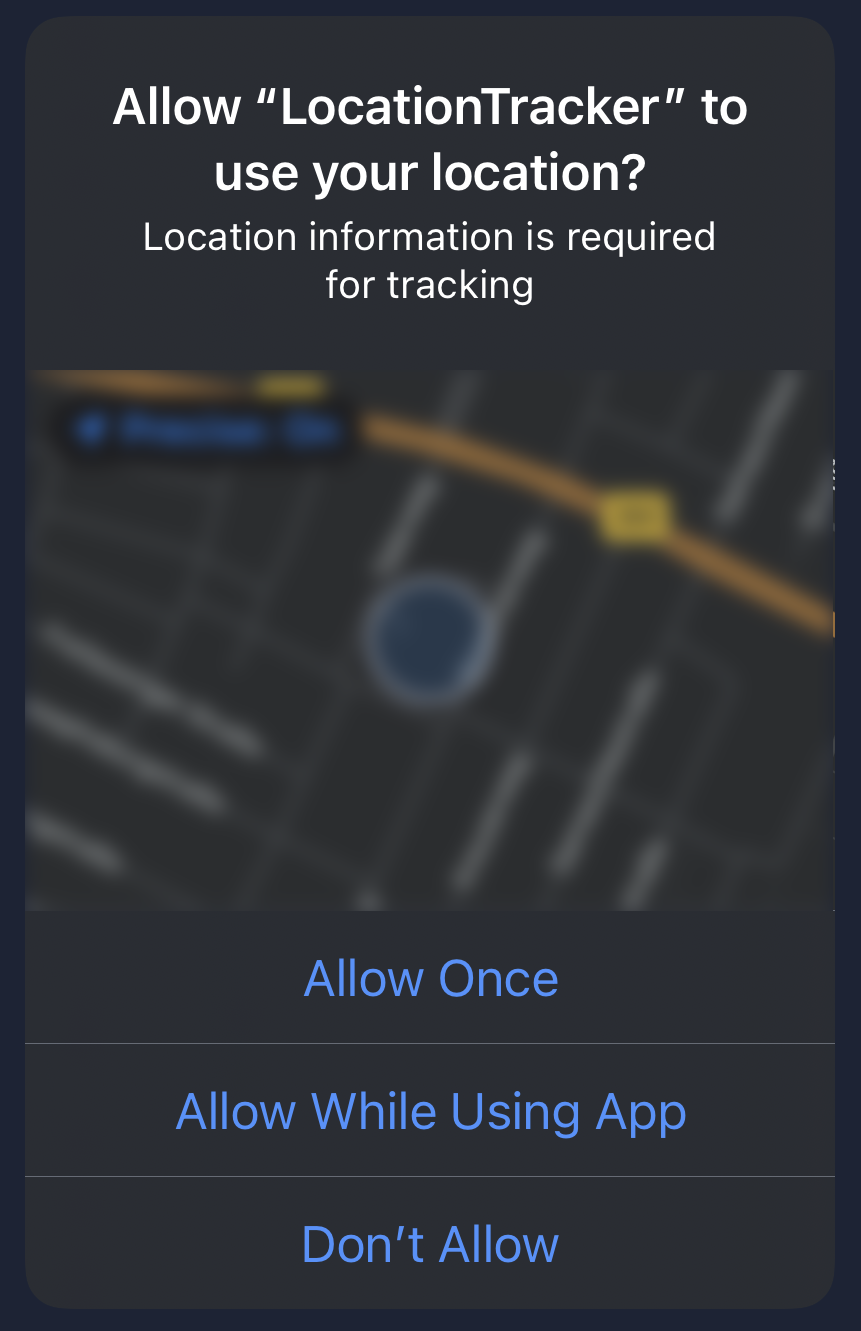
Back to our code, there is one more step to make this all work.
self.locationManager.startUpdatingLocation()
That’s it— we’re done.
Wrapping it Up
As promised earlier, I have put the complete code into a class that implements a Combine Publisher.
If you ‘re not sure what I mean, see the Resources section at the end of the document for further reading.
import Combine
import CoreLocation
import Foundation

class LocationPublisher: NSObject {

    typealias Output = (longitude: Double, latitude: Double)
    typealias Failure = Never

    private let wrapped = PassthroughSubject<(Output), Failure>()

    private let locationManager = CLLocationManager()

    override init() {
        super.init()
        self.locationManager.delegate = self
        self.locationManager.desiredAccuracy = kCLLocationAccuracyBest
        self.locationManager.requestAlwaysAuthorization()
        self.locationManager.startUpdatingLocation()
    }
}

extension LocationPublisher: CLLocationManagerDelegate {
    func locationManager(_ manager: CLLocationManager, didUpdateLocations locations: [CLLocation]) {
        guard let location = locations.last else { return }
        wrapped.send((longitude: location.coordinate.longitude, latitude: location.coordinate.latitude))
    }
}

extension LocationPublisher: Publisher {
    func receive<Downstream: Subscriber>(subscriber: Downstream) where Failure == Downstream.Failure, Output == Downstream.Input {
        wrapped.subscribe(subscriber)
    }
}
Whenever the location changes, the publisher emits a tuple of longitude and latitude.
We only need to subscribe to these changes to process them.
This can be done by calling sink and passing a function to it.
let locationPublisher = LocationPublisher()
var cancellables = [AnyCancellable]()
locationPublisher.sink(receiveValue: doSomething).store(in: &cancellables)

func doSomething(location: (longitude: Double, latitude: Double)) {
    print("Longitude: \(longitude)")
    print("Latitude: \(latitude)")
}
That’s it for today! I hope you enjoyed this post and found it useful.
Feel free to buy me a coffee if you liked this post..