Let’s take the DHT11 temperature and humidity sensor that I used in my post Measuring Temperature with an Arduino and use it with the ESP8266 from my last post Hello ESP8266.
One drawback of my Arduino Nano was that it had no way to wirelessly transmit the data. My plan had been to use the 433 MHz module from my post Hello World! - On 433 MHz.
Thanks to the WiFi capabilities of the ESP8266 this is now unnecessary: we only need to attach the DHT11 and write some code to read the data and push it somewhere with an HTTP request or similar.
Let’s wire things up first. Thanks to this project for the Fritzing parts.
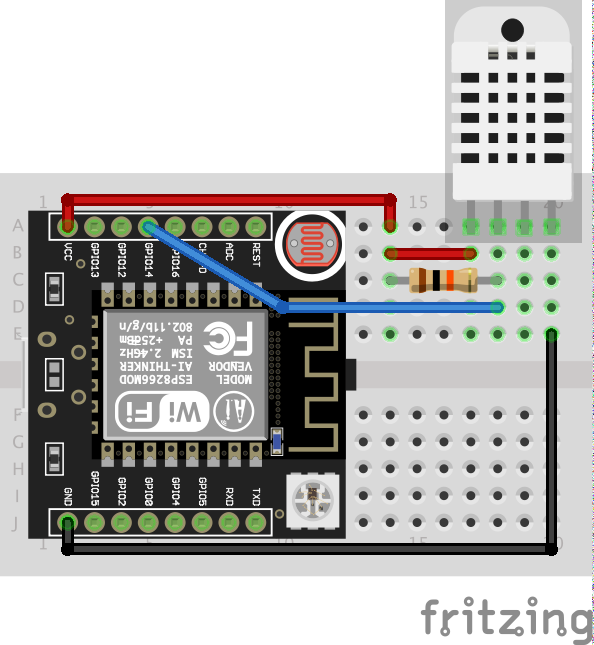
I’m using a DHT11 with an on-board resistor, so I only need three wires to connect it.
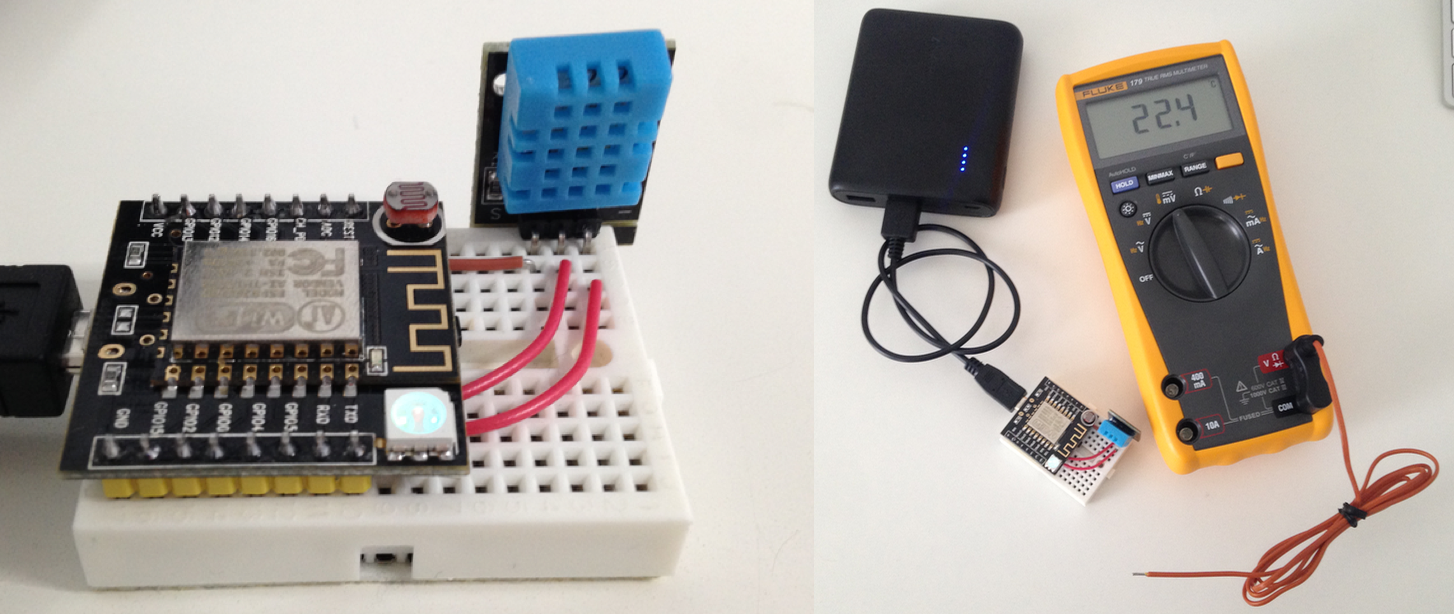
Next is the code to read the temperature and humidity and print it to the serial connection.
I combined two code examples. One is from the Adafruit DHT library. The other is the WiFiClient example from the ESP8266 Arduino library.
The final result looks like this:
{% gist 7cb867782dc4107ce687767d46128c84 esp-dht-http.ino %}
The URL I’m posting the data to is from a German computer news site. They ‘re currently running a survey on office temperatures. Instead of manually reading the temperature you can post your data to them automatically— a great opportunity to test my setup.
Done for today!