Since we know now why to use Sensu, it ‘s about time to get some real work done. Let’s install Sensu!
The first place to stop when learning how to install Sensu is the installation guide in the Sensu Wiki.
I have summarized the installation steps in separate shell scripts for CentOS and Debian, and placed them in a repository on GitHub.
Installation on CentOS
For CentOS (CentOS-6.3-x86_64-minimal) I logged into my box and executed the following:
curl https://raw.github.com/tobias-wissmueller/sensu-sandbox-shell/master/install_sensu_centos.sh | bashThis will perform the following steps:
{% gist 5264026 sensu_sandbox_centos.sh %}
Installation on Debian
On a Debian 7.0 (Debian-7.0-b4-i386-netboot) box I ran the installation procedure with:
curl https://raw.github.com/tobias-wissmueller/sensu-sandbox-shell/master/install_sensu_debian.sh | bashAll in all, that’ll execute the following commands:
{% gist 5264026 sensu_sandbox_debian.sh %}
Test, Test, Test!
A simple check that everything has been installed correctly is to point your browser to http://<your_machine>:8080/clients. It should display the Sensu dashboard with a connected client.
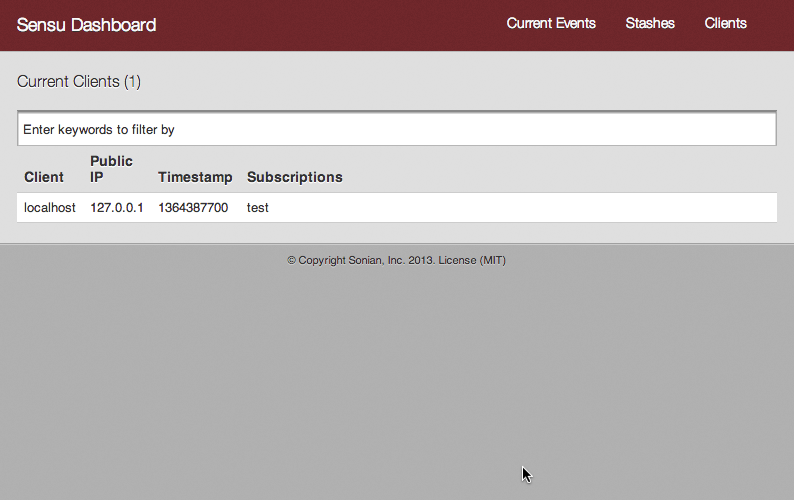
Glad it worked!
First Shoot then Ask
So, what is all that good for? The first time I ran these steps, I wondered about the new software on my box that I had never heard of. Let’s do a quick introduction.
EPEL Repository
Required only on CentOS, the EPEL repository extends Enterprise Linux (Red Hat Enterprise Linux, CentOS,…) with additional software packages.
Erlang
Erlang is a programming language for building robust, fault-tolerant distributed applications.
RabbitMQ
RabbitMQ is middleware that serves as a message broker between systems. It is written in Erlang.
Redis
All that data needs to go somewhere, right? Redis will take care of it, since it provides a key-value storage mechanism.
Sensu Package Repository
Since Sensu is not part (yet?!) of any official package repository, the project provides its own repository to make it as easy as possible to install all necessary components in an omnibus-style package.
Sensu
Doesn’t need much of an explanation here. Check out the new shiny website of Sensu. I also blogged about why to use it.
Contribute to Sensu!
If you need installation steps for another system, please feel free to contribute to the Sensu Wiki. Extra bonus for summarizing your installation procedure into a script and contributing it to that repository.
What’s next?
In the next two parts I will show two other— and better— ways to perform the installation. Although putting all installation steps into a script and running a one-liner is convenient, it isn’t the best way to manage software installations. There are smarter ways to do that. Good times we are living in!
Done for today!