When I initially started this blog, my first choice of blogging platform was Blogspot by Google. My old blog is still there, but in the meantime I migrated to my new blog where you are right now. It is based on Octopress and hosted on Heroku.
What I liked about Google Blogspot
First and foremost, the main reason I chose Blogspot at the time was its simplicity. You can get a blog up and running in no time. Since I already had a Google account, it was the most logical option. After a while I started writing my articles in MarsEdit and using Voila for screen captures. Write some text in MarsEdit, take a screenshot with Voila, copy and paste it into MarsEdit and publish the whole thing to Blogspot.
The built-in analytics in Blogspot are handy as well if you are starting a blog. Nothing to set up— it is just there and ready to use.
My requirements for blogging
After a while I got a bit tired of formatting in MarsEdit and the way it appeared on Blogspot. Additionally, I just wanted to write and not click around for formatting. Plus, I had no way to version my work.
Two requirements therefore emerged. A natural solution to the formatting issue is the Markdown language. For versioning I am used to SVN and GIT; I wanted to integrate that into my blogging workflow.
Choosing Octopress as new blogging platform
After googling and reading around I found the blog post “Choosing a Blogging Platform” by Mark Birbeck.
My final choice came down to Octopress. As a coder who has done projects with Ruby on Rails, this seemed like a natural fit.
Setting up Octopress
Octopress is easy to start with since it comes with good documentation. The following steps were taken from here to set up Octopress.
First I created the directory where my blog would live.
mkdir <my_project_dir>/blog
A little foreword on the next steps: if you are on a Mac and already have a native Ruby installation, read about the problems I encountered, especially at the end of this post. I’m still not clear enough about all the dependencies. If you can enlighten me, feel free to do so in the comments.
Next, I installed RVM since I needed Ruby 1.9.3 in addition to my 1.8.7 installation:
curl -L get.rvm.io | bash -s stable
Installing LLVM and libksba was the next step:
brew install llvm
brew install libksba
When I tried to install libksba the first time, I got an error saying it could not connect. While polishing this article I checked again, and it worked without problems.
Next, install Ruby 1.9.3:
rvm install 1.9.3
Here I got another error:
Error running 'tar xjf /Users/twiss1/.rvm/archives/ruby-1.9.3-p194.tar.bz2 -C /Users/twiss1/.rvm/tmp/rvm_src_78868 ', please read /Users/twiss1/.rvm/log/ruby-1.9.3-p194/extract.log
The mentioned log file extract.log showed:
ruby-1.9.3-p194/template/encdb.h.tmpl: (Empty error message)
tar: Error exit delayed from previous errors.
Thanks to this post I found a solution:
wget http://ftp.ruby-lang.org/pub/ruby/1.9/ruby-1.9.3-p194.tar.bz2
mv ruby-1.9.3-p194.tar.bz2 /Users/twiss1/.rvm/archives/
rvm install ruby-1.9.3-p194
rvm use 1.9.3
I checked everything with ruby -v.
But then I had a problem whenever I wanted to use vagrant. A temporary solution was:
CC=/usr/bin/gcc rvm install 1.8.7 --enable-shared
After logging into my terminal the other day, I could only use rvm as root and not as my normal user. Even when I tried to change my ruby version with rvm use 1.9.3 I got this error:
RVM is not a function, selecting rubies with 'rvm use...' will not work.
You need to change your terminal settings to allow shell login.
Please visit https://rvm.io/workflow/screen/ for example.
So I added source ~/.rvm/scripts/'rvm' to my .bash_profile and that fixed it.
What you read here about my problems with RVM and Ruby was just the tip of the iceberg, but there is more info at the end of this post.
Finally I installed Octopress:
git clone https://github.com/imathis/octopress.git octopress
gem install bundler
bundle install
rake install
For setting up deployment I followed this article.
I chose Heroku for deployment since I am a big fan of their services and the idea behind them.
gem install heroku
heroku create
git config branch.master.remote heroku
Now remove the entry public from the .gitignore file:
rake generate
git add.
git commit -m "initial commit"
git push heroku master
With the last step I got the following error:
Permission denied (publickey).
fatal: The remote end hung up unexpectedly
Okay, that’s easy— we need to generate a private and a public ssh-key pair:
cd ~/.ssh
ssh-keygen -t rsa
I saved the keys as id_rsa.heroku with an empty passphrase.
Back in my project directory I did:
heroku keys:add ~/.ssh/id_rsa.heroku.pub
Even then, pushing to Heroku still failed with the same error.
Executing ssh-add ~/.ssh/id_rsa.heroku resolved the issue.
You could also add the following line:
IdentityFile ~/.ssh/id_rsa.heroku
to the file ~/.ssh/config.
So, again git push heroku master — everything worked fine and I got the following output:
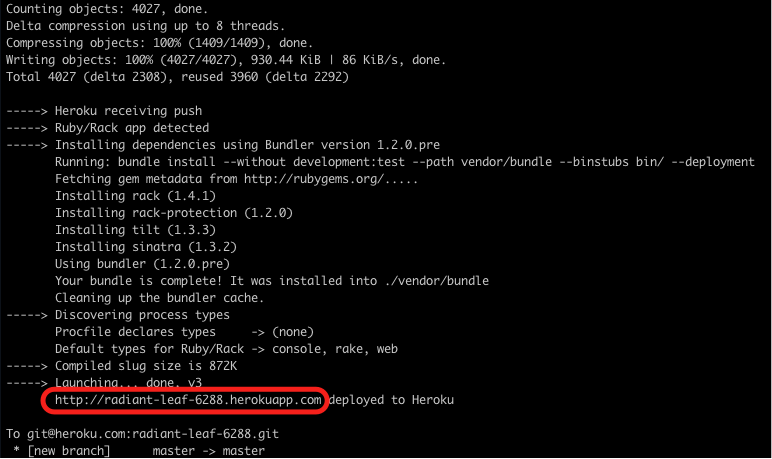
Of course, I was eager to see the URL.
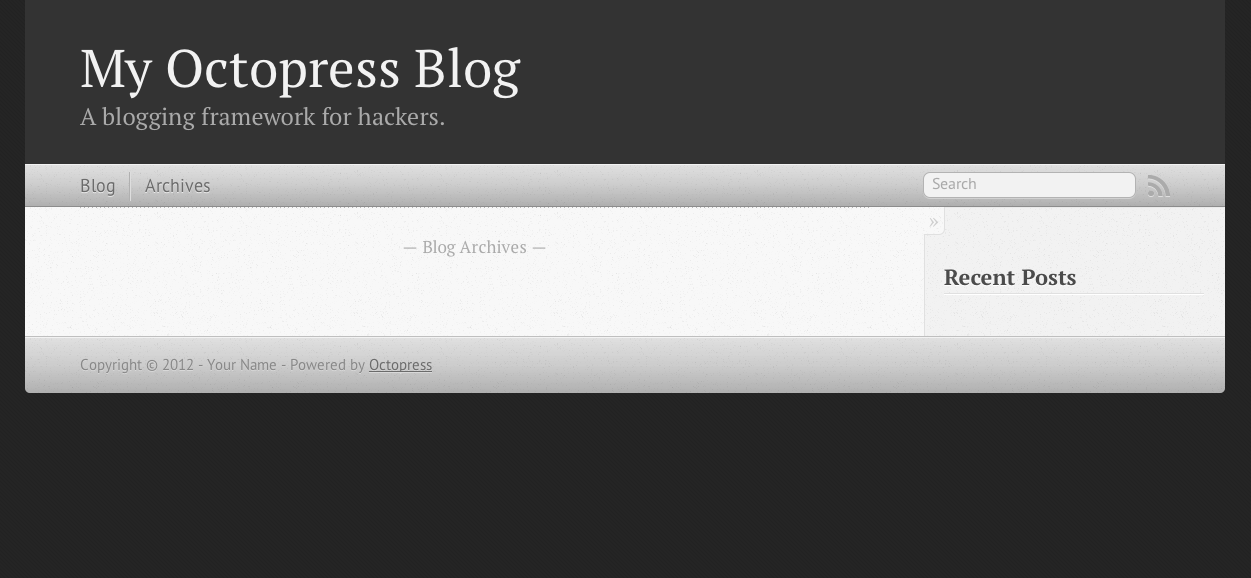
There you go. Very nice!
Now it was time to tailor that to my needs by changing the blog URL:
heroku apps:rename rampmeupscotty
Let’s check that on “My Apps” on Heroku.
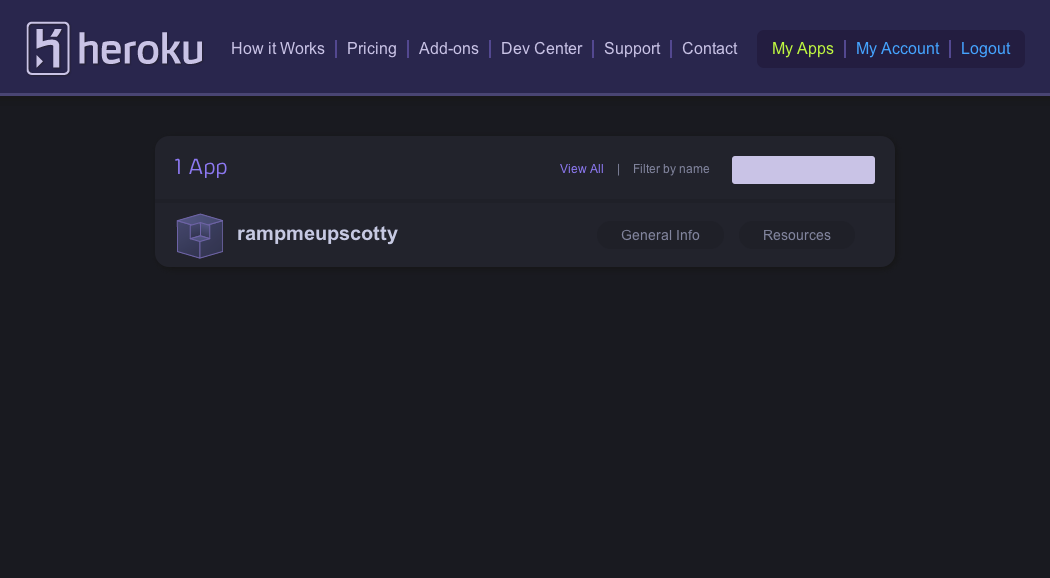
Cool— that’s it for now. Next steps were more configuration changes to the blog by continuing here and then I migrated all the content.
Some notes on RVM and Ruby
As mentioned above, while installing Octopress on my Mac I wanted to do vagrant up while working on another project, but got this:
/System/Library/Frameworks/Ruby.framework/Versions/1.8/usr/lib/ruby/1.8/rubygems.rb:777:in `report_activate_error': Could not find RubyGem vagrant (>= 0) (Gem::LoadError)
from /System/Library/Frameworks/Ruby.framework/Versions/1.8/usr/lib/ruby/1.8/rubygems.rb:211:in `activate'
from /System/Library/Frameworks/Ruby.framework/Versions/1.8/usr/lib/ruby/1.8/rubygems.rb:1056:in `gem'
from /usr/bin/vagrant:18
I tried to install vagrant again with gem install vagrant, but got this:
/Users/twiss1/.rvm/rubies/ruby-1.8.7-p358/lib/ruby/1.8/timeout.rb:60: [BUG] Segmentation fault
ruby 1.8.7 (2012-02-08 patchlevel 358) [i686-darwin11.4.0]
Ohoh— something was pretty messed up. I tried resolving it as follows:
brew remove ruby
rvm remove 1.8.7
CFLAGS="-O2 -fno-tree-dce -fno-optimize-sibling-calls" rvm install 1.8.7
gem install vagrant
That worked! Wait a minute … I left the terminal to do something else, and when I came back I had the same error again. I then tried:
rvm remove 1.8.7
rvm install 1.8.7 --with-gcc=clang
gem install vagrant
vagrant up
And again, when I left the terminal session the same problem of being unable to find the vagrant gem recurred.
Running
gem list
returned empty, and again I did:
rvm gem install vagrant
I wanted to know more about my gems with rvm 1.9.3 do gem list which returned a long list, but rvm 1.8.7 do gem list returned empty.
After some googling I found this article, removed 1.8.7 with rvm remove 1.8.7 and also went into ~/.rvm and removed everything that had “1.8.7” in its filename.
I also came across this post, where I learned about the MacOS gcc situation.
That was a lead, and I checked gcc -v, which returned:
Using built-in specs.
Target: i686-apple-darwin11
Configured with: /private/var/tmp/llvmgcc42/llvmgcc42-2336.9~22/src/configure --disable-checking --enable-werror --prefix=/Applications/Xcode.app/Contents/Developer/usr/llvm-gcc-4.2 --mandir=/share/man --enable-languages=c,objc,c++,obj-c++ --program-prefix=llvm- --program-transform-name=/^[cg][^.-]*$/s/$/-4.2/ --with-slibdir=/usr/lib --build=i686-apple-darwin11 --enable-llvm=/private/var/tmp/llvmgcc42/llvmgcc42-2336.9~22/dst-llvmCore/Developer/usr/local --program-prefix=i686-apple-darwin11- --host=x86_64-apple-darwin11 --target=i686-apple-darwin11 --with-gxx-include-dir=/usr/include/c++/4.2.1
Thread model: posix
gcc version 4.2.1 (Based on Apple Inc. build 5658) (LLVM build 2336.9.00)
Getting a non-LLVM-based gcc was next, thanks to this post that helped a lot.
mkdir <somewhere>/tmp
curl -O http://opensource.apple.com/tarballs/gcc/gcc-5666.3.tar.gz
tar zxf gcc-5666.3.tar.gz
cd gcc-5666.3
mkdir -p build/obj build/dst build/sym
sudo ditto build/dst /
One of my problems, generally speaking, is not understanding what I am doing. The command
CC=/usr/bin/gcc rvm install 1.8.7 --enable-shared
should have been:
CC=/usr/bin/gcc-4.2 rvm install 1.8.7 --enable-shared
Now, doing:
rvm use 1.8.7
rvm 1.8.7 do gem list
returned the following list of gems:
bundler (1.1.4)
rake (0.9.2.2)
rubygems-bundler (1.0.3)
rvm (1.11.3.4)
After:
rvm 1.8.7 do gem install vagrant
rvm 1.8.7 do gem list
I got more:
archive-tar-minitar (0.5.2)
bundler (1.1.4)
childprocess (0.3.2)
erubis (2.7.0)
ffi (1.0.11)
i18n (0.6.0)
json (1.5.4)
log4r (1.1.10)
net-scp (1.0.4)
net-ssh (2.2.2)
rake (0.9.2.2)
rubygems-bundler (1.0.3)
rvm (1.11.3.4)
vagrant (1.0.3)
Logged out of my terminal, logged back in— WOHOOOOOO!
A side note: if some or all of the stuff I ‘m writing here about problems with RVM and the LLVM-based GCC compiler seems messy, that ‘s fine. After trying to solve the problem by googling and reading article after article, I tried things without fully understanding them in the hope the problem would magically vanish.
I should repeat the whole procedure on a clean macOS installation, without a native Ruby installation, using only RVM and a non-LLVM-based GCC compiler. Feel free to donate a Mac for this purpose— I will happily provide my address to receive your donation…
Anyway, I’m happy with my new blog and I learned a ton.
Done for today!